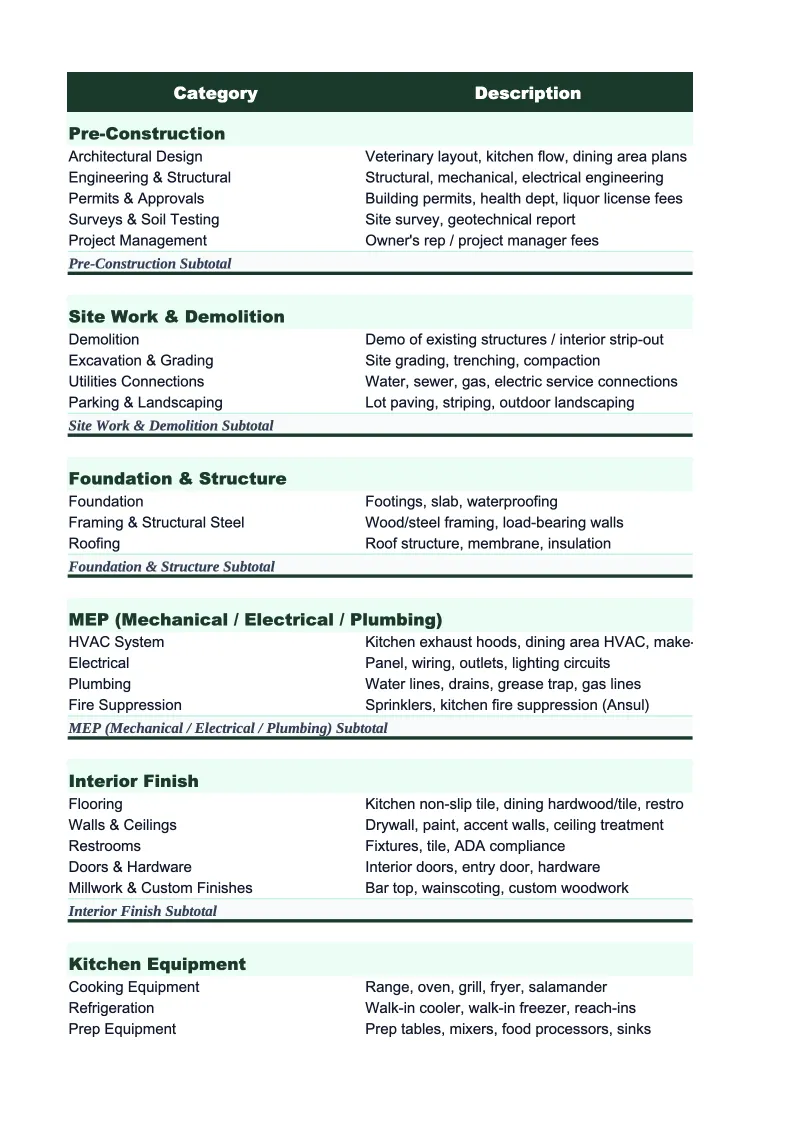
Veterinary Project Budget Template
Budget clinic expansions, equipment purchases, and facility renovations with a project budget template built for veterinary practices — pre-loaded with vet-specific cost categories and formulas.
What's Inside This Veterinary Project Budget Template
This template includes 6 worksheets, each designed for a specific part of your veterinary financial workflow:
Project Summary
The top-level overview of your project — total budgeted cost, total actual spend to date, variance, and percent complete.
Equipment & Diagnostics
An itemized budget for all capital equipment purchases in the project — diagnostic imaging (digital X-ray, ultrasound, dental radiology), surgical tables and lighting, anesthesia equipment, laboratory analyzers, and cold storage.
Facility & Construction
All costs related to the physical space — general contractor fees, architectural drawings, permits and inspections, exam room buildouts, surgical suite construction, kenneling and boarding facilities, HVAC and ventilation (critical for surgical and isolation areas), plumbing for wet labs and treatment areas, flooring, and signage.
Technology & Software
Tracks the budget for practice management software licensing, hardware (workstations, tablets, label printers, payment terminals), digital imaging systems, networking and IT infrastructure, and phone systems.
Staffing & Training
Covers the people-side of any expansion — recruiting fees for new DVMs or technicians, onboarding costs, training programs (specialist certifications, equipment operation, software training), temporary staffing during the transition period, and overtime costs for existing staff covering expanded hours.
Budget vs Actual
A consolidated variance tracker comparing your original budget against actual spend for every cost category in the project.
Veterinary Project Budget Template Features
- Itemized equipment budget covering imaging, surgical, and diagnostic categories
- Phase-by-phase facility and construction cost tracking
- Technology and software cost breakdown including implementation fees
- Staffing and training budget for new hires and specialist onboarding
- Budget vs actual variance tracker with automatic percent-complete calculation
- Project Summary dashboard that rolls up all sheets for ownership review
How to Use This Veterinary Project Budget Spreadsheet
Start by opening the Project Summary sheet and filling in the project name, target start date, and total approved budget. Then work through each detail sheet — Equipment & Diagnostics first, since that's usually the largest line item and most defined early in the planning process. Get vendor quotes into the estimated cost column before you start construction; vet equipment pricing changes and you want your budget anchored to actual numbers, not ballpark figures from a year ago.
As the project progresses, enter actual invoiced costs in the actual cost column on each sheet. The Budget vs Actual sheet pulls these automatically and shows you variance by category in real time. Check it weekly during active construction phases — facility and construction overruns tend to compound quickly, and catching a 10% cost overrun in week three gives you options that catching it at project close does not. Flag anything over 5% variance for review and note the reason in the Notes column so you have a record for the post-project analysis.
15 minutes from download to your first project budget
Download the template, enter your line items, and see your veterinary project's full cost picture — equipment, facility, staffing, and technology all tracked in one place.
Why Veterinary Practices Need a Dedicated Project Budget
Veterinary practice expansions and renovations involve cost categories that generic project budget templates don't anticipate. A dental suite addition requires specialized plumbing, radiology shielding, and an anesthesia system that only a handful of suppliers carry. A new digital X-ray setup involves not just the equipment purchase but installation, calibration, DICOM software licensing, and staff training before the first image is taken. Without a budget template built around these categories, practice managers end up tracking costs in disconnected spreadsheets or, worse, discovering overruns only when invoices arrive.
Capital projects at vet clinics typically fall into three buckets: equipment purchases, facility work, and technology upgrades — and all three often happen simultaneously in an expansion. Equipment costs are the most predictable; facility costs are the most variable; and technology costs are the most consistently underestimated. A full-service digital imaging installation, for example, often costs 25–40% more than the equipment purchase price alone once you factor in network infrastructure, server hardware, software licenses, and the radiologist reading fees that are bundled into some contracts. This template breaks those apart so you can see each component clearly.
Veterinary Industry at a Glance
Financial templates built for veterinary practices — from small animal clinics to multi-location hospitals. Pre-loaded with exam, surgery, pharmacy, and diagnostic categories.
Revenue Drivers
- Wellness exams and preventive care
- Surgical procedures
- Pharmacy and medication sales
- Diagnostics and lab work
- Dental procedures
- Emergency and urgent care
Key Cost Categories
- Medications and pharmaceuticals (COGS)
- Medical and surgical supplies
- Veterinarian salaries
- Technician and support staff wages
- Facility rent and utilities
- Diagnostic equipment and lab fees
Typical Margins
Gross: 74-78% · Net: 10-15%
Seasonality
Spring and fall peaks for wellness visits and heartworm testing; summer uptick in emergency visits; relatively stable year-round compared to many industries.
Key Performance Indicators
Veterinary Project Budget Template FAQ
More Veterinary Templates
Veterinary Practice Balance Sheet Template for Excel
$29
Veterinary Budget Template for Excel
$29
Veterinary Business Plan Template for Excel
$39
Veterinary Practice Cash Flow Template for Excel
$29
Veterinary Expense Tracker Template for Excel
$29
Veterinary Practice Financial Model Template for Excel
$29
Veterinary Income Statement Template for Excel
$29
Veterinary Invoice Template for Excel
$29
Veterinary Practice KPI Dashboard Template for Excel
$29
Veterinary Practice P&L Template for Excel
$29
Veterinary Pro Forma Template for Excel
$29
Veterinary Sales Forecast Template for Excel
$29
Veterinary Practice Valuation Template for Excel
$29
More Project Budget Templates
Veterinary Project Budget Template
$29