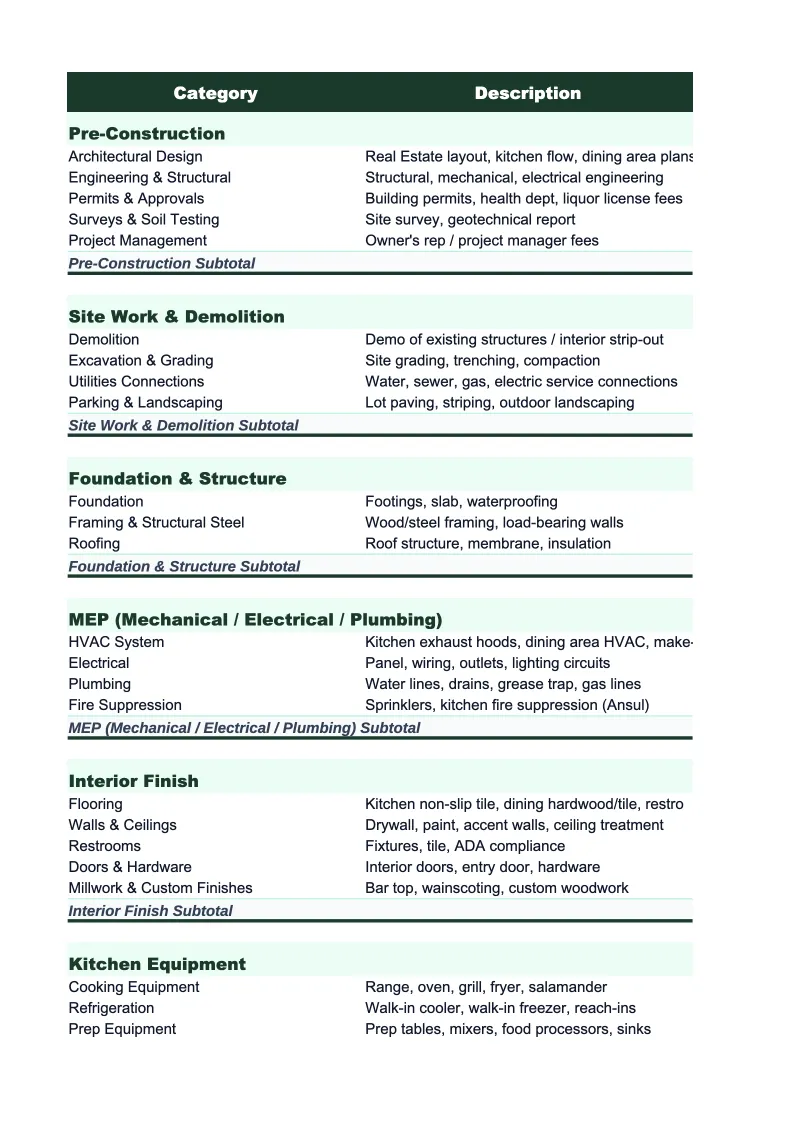
Real Estate Project Budget Template
Budget a fix-and-flip, renovation, or development project from acquisition through closing — with pre-built cost categories, holding cost tracking, and ROI calculations built for real estate investors.
What's Inside This Real Estate Project Budget Template
This template includes 7 worksheets, each designed for a specific part of your real estate financial workflow:
Project Setup
Start here to enter the deal fundamentals: property address, acquisition price, after repair value (ARV), target profit margin, project start and end dates, and investor or partner details.
Acquisition Costs
Tracks every cost involved in purchasing the property before renovation begins.
Renovation Costs
The core of any fix-and-flip or rehab budget.
Holding Costs
Tracks the carrying costs that accumulate while the project is underway — the costs that erode profit if a project runs long.
Selling Costs
Captures the transaction costs on the exit side of the deal.
Budget vs Actual
A side-by-side comparison of your original budget against actual costs incurred, organized by cost category (acquisition, renovation, holding, selling).
Deal Summary
A one-page investment summary that pulls from all the other sheets to show your deal economics at a glance.
Real Estate Project Budget Template Features
- Pre-built cost categories for acquisition, renovation by trade, holding, and selling costs
- Automatic loan interest calculation based on loan amount, rate, and project duration
- ARV-based ROI and annualized return calculations in the Deal Summary sheet
- Budget vs actual variance tracking across all four cost phases
- Agent commission and seller closing cost estimator for accurate exit underwriting
- Quantity × unit cost estimating structure for trade-by-trade renovation line items
How to Use This Real Estate Project Budget Spreadsheet
Start with the Project Setup sheet. Enter the property address, your purchase price, the ARV you're targeting, your loan details, and your planned project duration. These inputs drive the holding cost calculations and the Deal Summary metrics — getting them right upfront is what makes the rest of the template useful. Then move to the Acquisition Costs sheet and enter your estimated closing costs, due diligence fees, and financing costs based on your purchase contract and lender terms. This gives you an accurate all-in acquisition number before a dollar of renovation work begins.
Once you have the acquisition side set, build out your renovation estimate in the Renovation Costs sheet. Go trade by trade — start with the big-ticket items (roof, HVAC, electrical, plumbing) where scope uncertainty carries the most risk, then work through the cosmetic categories. For each line item, enter your contractor estimate or your own quantity and unit cost estimate. As renovation gets underway, log actual invoices and payments in the actual cost column whenever you pay a contractor. The Budget vs Actual sheet updates automatically, showing you in real time whether you're running over or under in each trade.
15 minutes from download to your first deal budget
Download the template, enter your acquisition details and renovation estimate, and you have a complete project tracker — with holding costs, selling costs, and ROI built in.
Why Every Real Estate Investor Needs a Project Budget Template
Fix-and-flip and renovation projects fail financially not because investors are bad at picking properties — they fail because the budget falls apart during execution. The typical culprits are predictable: renovation scope expands when contractors open walls, the project runs two months longer than planned and holding costs double, and selling costs are underestimated by two to three percentage points. On a $300,000 ARV project, that combination can erase a $40,000 projected profit before you know what happened. The only defense is a detailed project budget built before you close, tracked continuously during renovation, and reconciled honestly at every cost phase.
A real estate project budget has four cost phases that each need to be estimated and tracked separately. Acquisition costs are mostly fixed once you're under contract, but easy to underestimate by a few thousand dollars if you don't itemize title, escrow, due diligence, and financing fees explicitly. Renovation costs are where the biggest variance lives — experienced investors use a trade-by-trade breakdown rather than a single lump sum, because overruns in one trade can be partially offset by savings in another only if you can see them. Holding costs are the most overlooked, especially loan interest — a 12% hard money loan on a $200,000 draw costs $2,000 per month, and a two-month delay costs you $4,000 in profit. Selling costs at 8–10% of ARV are fixed and unavoidable, but surprisingly often left out of first-time investor budgets entirely.
Real Estate Industry at a Glance
Financial templates built for real estate professionals — agents, brokers, property managers, appraisers, and inspectors. Pre-loaded with commission tracking, management fee structures, and transaction-based billing.
Revenue Drivers
- Sales commissions
- Property management fees
- Lease-up / tenant placement fees
- Appraisal & inspection fees
Key Cost Categories
- MLS & licensing fees
- Marketing & advertising
- E&O insurance
- Transaction coordination
- Technology & CRM
- Office & brokerage fees
Typical Margins
Gross: 40-70% · Net: 15-35%
Seasonality
Peak activity spring through summer (March–August); winter slowdown, especially December–January. Commercial real estate has less pronounced seasonality.
Key Performance Indicators
Real Estate Project Budget Template FAQ
More Real Estate Templates
Real Estate Balance Sheet Template for Excel
$29
Real Estate Budget Template for Excel
$29
Real Estate Business Plan Template for Excel
$39
Real Estate Cash Flow Template for Excel
$29
Real Estate Expense Tracker Template for Excel
$29
Real Estate Financial Model Template for Excel
$29
Real Estate Income Statement Template for Excel
$29
Real Estate Invoice Template for Excel
$29
Real Estate KPI Dashboard Template for Excel
$29
Real Estate P&L Template for Excel
$29
Real Estate Pro Forma Template for Excel
$29
Real Estate Sales Forecast Template for Excel
$29
Real Estate Business Valuation Template for Excel
$29
More Project Budget Templates
Real Estate Project Budget Template
$29