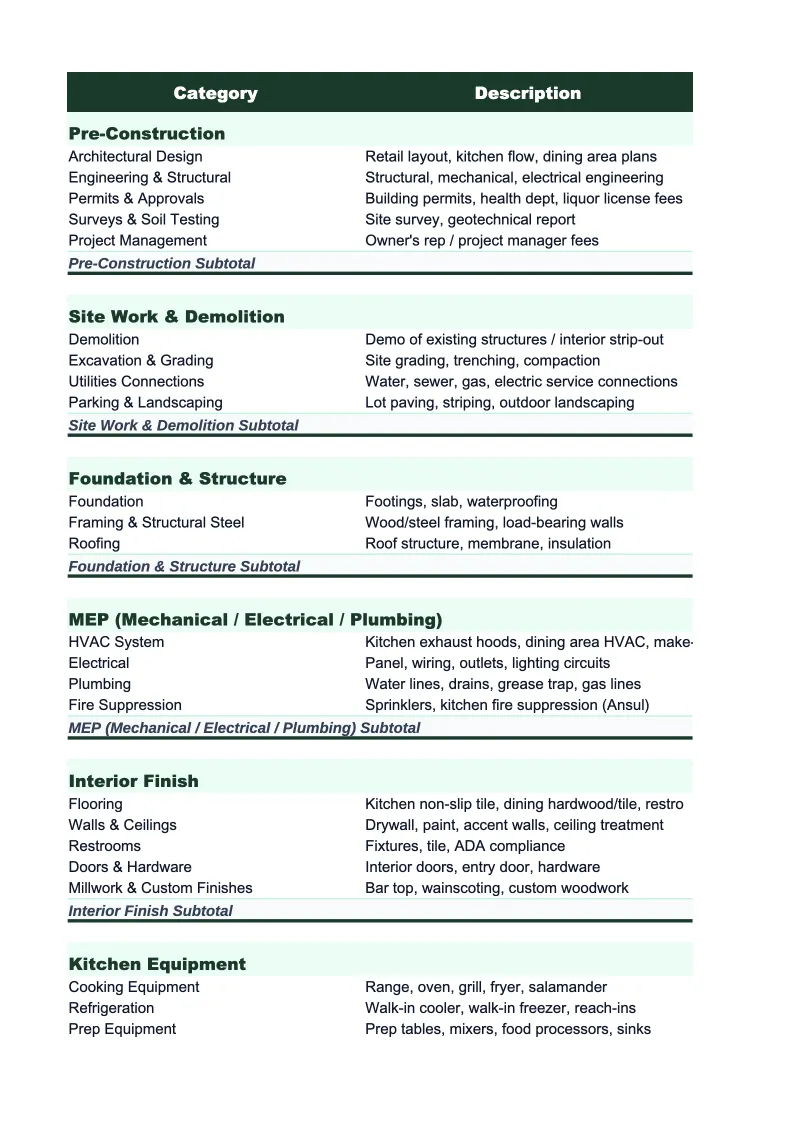
Retail Project Budget Template
Budget and track every dollar of a retail store opening, renovation, or expansion — from buildout and fixtures to technology, initial inventory, permits, and working capital.
What's Inside This Retail Project Budget Template
This template includes 7 worksheets, each designed for a specific part of your retail financial workflow:
Project Setup
Enter your store's core project details here first: store name, location, square footage, concept type (boutique, specialty, franchise), target opening date, total project budget, and financing breakdown (owner equity, SBA loan, investor capital).
Buildout & Improvements
A detailed line-item budget for all tenant improvements and construction work required to make the space retail-ready: demolition of existing finishes, framing and drywall, flooring (hardwood, tile, carpet, or polished concrete depending on concept), lighting installation and electrical upgrades, HVAC modifications, plumbing for any back-of-house sink or restroom additions, storefront glass and entry door work, fitting room construction, and interior paint and finishes.
Fixtures & Displays
Separate budget tracker for all retail fixtures, display equipment, and furniture: gondola shelving units, wall-mounted display systems, glass display cases (for jewelry, accessories, or high-value merchandise), clothing racks and rounders, checkout counter and cash wrap, fitting room fixtures and curtains or doors, window display platforms and mannequins, signage (exterior, window graphics, interior wayfinding), storage and stockroom shelving, and any custom millwork or built-ins.
Technology & Equipment
Covers all hardware and software purchases required to operate the store: point-of-sale system hardware (terminals, receipt printers, barcode scanners, cash drawers), POS and inventory management software license or setup fees, payment processing terminal hardware, security cameras and loss prevention system, alarm system and monitoring, store Wi-Fi infrastructure, music and audio system, price tag and label printers, and any back-office computer and printer setup.
Pre-Opening Costs
Covers all the one-time soft costs required to open the doors: business licenses and business entity setup fees, retail-specific permits (certificate of occupancy, fire inspection, signage permit, health permit if applicable), architect and space planning fees, graphic design fees for signage and branding, legal costs, insurance deposits (general liability, commercial property, workers comp), grand opening marketing budget (social media ads, flyers, local PR, opening event costs), staff recruitment and training wages (including manager onboarding and any product knowledge training), and the security deposit plus first month's rent.
Budget vs Actual
Side-by-side comparison of your original budget against costs incurred to date, organized by the same five cost categories as the other sheets.
Dashboard
A one-page project summary with pre-built charts showing total budget versus actual spend by category, percentage of capital committed, and projected final cost.
Retail Project Budget Template Features
- Pre-built retail store cost categories covering buildout, fixtures, technology, pre-opening, and initial inventory
- Fixtures budget broken out by type — gondola shelving, display cases, checkout counter, mannequins, and custom millwork
- Technology tracker covering POS hardware, inventory software, security systems, and payment terminals
- Committed-not-yet-paid column to track fixture and equipment orders before delivery and invoicing
- Cost-per-square-foot calculation benchmarked against specialty retail ranges
- Grand opening marketing budget line items alongside permits, insurance, and lease deposits
How to Use This Retail Project Budget Spreadsheet
Start with the Project Setup sheet. Enter your store name, address, square footage, concept type, target opening date, and total capital available along with the financing split between equity, loans, and any investor contributions. The setup sheet gives you a summary view of your five cost buckets — buildout, fixtures, technology, pre-opening, and inventory — before you get into line items. Use it to confirm that your total budgeted costs match your available capital. Then open the Buildout & Improvements sheet and review the pre-loaded categories; adjust them to match your contractor's bid format or your landlord's tenant improvement allowance scope.
As contractor bids, fixture vendor quotes, and technology quotes come in, enter them in the relevant sheets alongside your original estimates. The Budget vs Actual sheet shows variance as soon as a category has both a budget and an actual or committed amount. Enter costs as invoices arrive and update the committed-not-yet-paid column whenever you place a purchase order or sign a contract. Most retail operators find it useful to update the tracker weekly — timed around contractor check-ins, vendor follow-ups, and any lender or investor reporting requirements. This keeps the Dashboard current so you always know where you stand against your capital.
15 minutes from download to your first project budget
Download the template, enter your buildout budget and vendor quotes, and see your full retail store project cost — construction, fixtures, technology, pre-opening, and inventory — in one place.
Why Retail Store Openings Need a Dedicated Project Budget
Opening a retail store involves more distinct cost categories than most first-time owners expect. Beyond the obvious construction and fixture costs, there are technology purchases, initial inventory that can equal three to four months of cost of goods, a grand opening marketing budget, permit fees, insurance deposits, and a working capital reserve to cover operating losses before the store reaches breakeven. For a small specialty boutique in a 1,200 square foot space, total startup costs typically run $80,000–$200,000 depending on the level of buildout and initial inventory investment. A larger specialty retailer in 3,000–5,000 square feet can run $300,000–$600,000 or more. Without a structured project budget, costs routinely exceed projections by 15–25% because line items get missed, not because any single cost was grossly miscalculated.
Retail project budgets have some unique characteristics that distinguish them from restaurant or service business buildouts. Fixtures and display equipment are a much larger proportion of total project cost than in most other retail environments — a well-merchandised specialty store might spend as much on fixtures as on construction. Initial inventory is simultaneously a startup cost and working capital, and how you classify it affects both your project budget and your day-one balance sheet. Technology costs are increasingly complex: a modern POS system with inventory management, e-commerce integration, and customer loyalty features involves both one-time hardware costs and ongoing software subscriptions that need to be separated and tracked differently. Knowing the difference between capital costs (tracked in this template) and operating costs (tracked in your ongoing budget) keeps your financial picture clean.
Retail Industry at a Glance
Financial templates built for retail businesses — from independent boutiques to specialty stores. Pre-loaded with product cost tracking, wholesale invoicing, and retail-specific KPIs.
Revenue Drivers
- In-store sales
- Online/e-commerce sales
- Wholesale orders
- Custom and special orders
Key Cost Categories
- Cost of goods sold
- Labor (sales staff)
- Rent & occupancy
- Inventory shrinkage
- Marketing & advertising
- Shipping & fulfillment
Typical Margins
Gross: 40-60% · Net: 2-6%
Seasonality
Q4 holiday season typically accounts for 20-30% of annual revenue; back-to-school (August) and spring sales are secondary peaks.
Key Performance Indicators
Retail Project Budget Template FAQ
More Retail Templates
Retail Balance Sheet Template for Excel
$29
Retail Budget Template for Excel
$29
Retail Business Plan Template for Excel
$39
Retail Cash Flow Template for Excel
$29
Retail Expense Tracker Template for Excel
$29
Retail Financial Model Template for Excel
$29
Retail Income Statement Template for Excel
$29
Retail Invoice Template for Excel
$29
Retail KPI Dashboard Template for Excel
$29
Retail P&L Template for Excel
$29
Retail Pro Forma Template for Excel
$29
Retail Sales Forecast Template for Excel
$29
Retail Business Valuation Template for Excel
$29
More Project Budget Templates
Retail Project Budget Template
$29