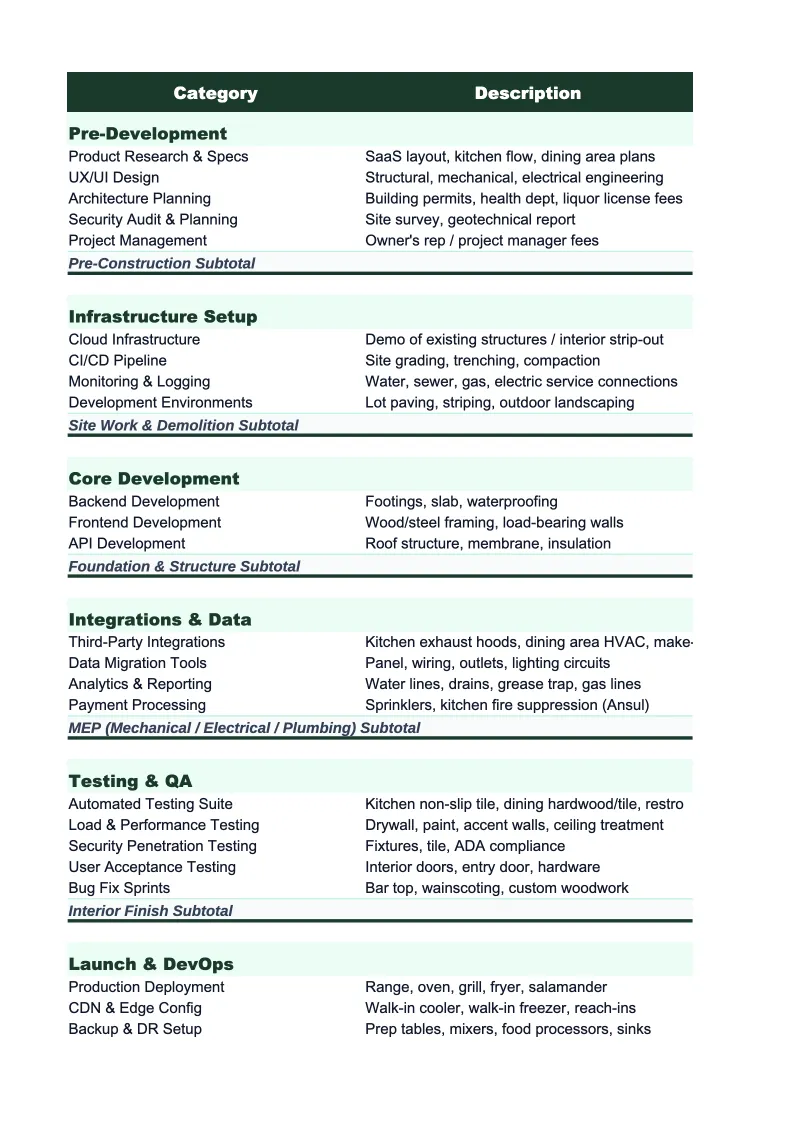
SaaS Project Budget Template
Plan and track every dollar of a SaaS product launch, major feature release, or platform migration — from engineering and design to infrastructure setup, sales enablement, and go-to-market activation.
What's Inside This SaaS Project Budget Template
This template includes 8 worksheets, each designed for a specific part of your saas financial workflow:
Project Setup
Enter your project's core parameters first: product or feature name, project type (new product launch, major feature release, platform migration, market expansion, or tech stack overhaul), target launch date, total budget authorized, and funding source (equity, revenue-funded, venture capital tranche).
Engineering & Development
The largest and most complex cost sheet in a SaaS project budget.
Product & Design
Tracks all product management and design costs tied to the project: UX research and usability testing sessions, user interview recruiting and participant incentives, product design and wireframing fees (for external designers or design agencies), high-fidelity mockup production, design system updates or component library additions, motion design and microinteraction work, in-app onboarding flow design, marketing website landing page design, accessibility and responsive design reviews, and design QA against engineering implementation.
Infrastructure & Tooling
Budget tracker for cloud infrastructure and software tooling costs specific to the project: cloud environment provisioning for the new product or feature (AWS, GCP, or Azure compute, storage, and data transfer cost estimates for the first 12 months post-launch), database setup and migration costs, CDN and edge caching configuration, monitoring and observability stack setup (Datadog, Grafana, PagerDuty, or equivalent), CI/CD pipeline buildout or expansion, feature flag management platform setup, customer data platform or analytics pipeline configuration, compliance tooling for SOC 2 or GDPR if the project requires it, staging and testing environment costs, and any additional SaaS tool licenses required by the project.
Marketing & GTM
Covers all one-time go-to-market and launch marketing costs: positioning and messaging strategy development (agency or consultant fees), launch landing page copywriting and design, launch blog post and content production, press release distribution and PR outreach, product launch video production and editing, paid acquisition budget for launch campaigns (Google, LinkedIn, Meta), email campaign design and setup for existing customer announcement and new prospect outreach, conference or event sponsorship tied to the launch, analyst briefing preparation and outreach, co-marketing partner activation costs, review site profile updates and campaign (G2, Capterra, Trustpilot), and any affiliate or partner program launch costs.
Sales Enablement
Budget tracker for all one-time sales and customer success enablement tied to the project: sales deck and pitch deck production, competitive battlecard development, demo environment setup and scripting, sales training sessions and enablement workshops, pricing page and packaging copy updates, contract template updates for new pricing tiers or product SKUs, customer success onboarding playbook development, in-app onboarding tour scripting and implementation (Appcues, Pendo, or equivalent), support documentation and knowledge base articles, and customer webinar production for the launch announcement to existing customers.
Budget vs Actual
Side-by-side comparison of your original budget against costs incurred to date, organized by the same five cost categories as the other sheets.
Dashboard
A one-page project overview with pre-built charts showing budget versus actual spend by cost category, percentage of total budget committed and spent, and projected final cost based on current trajectory.
SaaS Project Budget Template Features
- Engineering cost tracker that captures internal team time at fully loaded cost alongside external contractor and agency fees by sprint
- Infrastructure and tooling sheet separating one-time setup costs from ongoing run-rate to give a clean picture of total project investment
- Sales enablement budget tracker covering battlecards, demo scripting, training, and onboarding documentation
- Committed-not-yet-paid column for contractor retainers, design deposits, and infrastructure provisioning that precedes invoicing
- Unit economics ROI preview showing net new ARR needed to recover the full project investment at your ACV
- Milestone tracker showing completion percentage and budget status across six workstreams on a single dashboard
How to Use This SaaS Project Budget Spreadsheet
Start with the Project Setup sheet. Enter your product or feature name, project type, target launch date, and authorized budget alongside the funding source. The setup sheet shows a cost bucket summary — engineering, design, infrastructure, marketing, and sales enablement — so you can check whether your total estimate fits within your authorized budget before committing to line items. Then open the Engineering & Development sheet and map out your team allocation: which engineers are on this project, at what percentage of their time, across how many sprints. Engineering is almost always the largest single cost in a SaaS project budget, and getting that estimate right before any other line items matters.
As contractor quotes, agency proposals, and infrastructure estimates come in, log them in the relevant sheets alongside your internal estimates. The Budget vs Actual sheet starts showing variance as soon as a line has both a budget amount and an actual or committed figure. Use the committed-not-yet-paid column whenever you execute a contract or provision infrastructure — SaaS projects routinely involve engineering retainers, design agency agreements, and cloud resource commitments that land weeks before any invoice arrives. Reviewing the Budget vs Actual sheet at each sprint boundary or bi-weekly check-in keeps the budget visible to the team and to any investors or stakeholders who need project cost reporting.
15 minutes from download to your first project budget
Download the template, map your engineering allocation, and see your full SaaS launch investment — development, infrastructure, marketing, and sales enablement — in one place.
Why SaaS Companies Need a Project Budget Template
SaaS project budgets are harder to control than most founders and product leaders expect, and the reason is almost always engineering time. When a project involves a three-engineer team working for three months, the fully loaded cost is typically $150,000–$300,000 before any external spend — but because that cost hits payroll rather than a vendor invoice, it often doesn't appear in project cost tracking at all. Companies that budget only for external costs routinely underestimate project investment by 60–80% and make poor decisions about scope, staffing, and prioritization as a result. Capturing internal engineering time at fully loaded rates alongside contractor fees gives a complete picture of what a project actually costs the business.
Two categories beyond engineering consistently come in higher than SaaS teams plan for. Infrastructure costs are the first: provisioning new cloud environments, building out monitoring and observability, setting up CI/CD pipelines for a new codebase, and running staging environments throughout a multi-month development period add up to real money that operating cloud bills obscure. Security and compliance work is the second: if the project touches customer data or requires a new SOC 2 scope item, security audit costs typically run $15,000–$40,000 for an external audit plus engineering time for any remediation. Both categories are easiest to budget before the project starts — adding them after the project is scoped often results in scope cuts elsewhere that compromise the launch.
SaaS Industry at a Glance
Financial templates built for software-as-a-service businesses managing subscription billing, ARR growth, and recurring revenue operations.
Revenue Drivers
- monthly recurring revenue (MRR)
- annual contract value (ACV)
- seat-based or usage-based billing
- professional services and onboarding fees
- add-ons and tier upgrades
Key Cost Categories
- cloud infrastructure (AWS, GCP, Azure)
- employee salaries and benefits (engineering, sales, CS, marketing)
- customer acquisition (ads, events, SDR costs)
- SaaS tools and subscriptions
- payment processing fees
- R&D and product development
Typical Margins
Gross: 60-80% · Net: -5% to 20% depending on growth stage
Seasonality
Relatively flat month-to-month with Q4 spikes from enterprise budget cycles. Annual contract renewals cluster in January and July.
Key Performance Indicators
SaaS Project Budget Template FAQ
More SaaS Templates
SaaS Balance Sheet Template for Excel
$29
SaaS Budget Template for Excel
$29
SaaS Business Plan Template for Excel
$39
SaaS Cash Flow Template for Excel
$29
SaaS Expense Tracker Template for Excel
$29
SaaS Financial Model Template for Excel
$29
SaaS Income Statement Template for Excel
$29
SaaS Invoice Template for Excel
$29
SaaS KPI Dashboard Template for Excel
$29
SaaS P&L Template for Excel
$29
SaaS Pro Forma Template for Excel
$29
SaaS Sales Forecast Template for Excel
$29
SaaS Valuation Template for Excel
$29
More Project Budget Templates
SaaS Project Budget Template
$29