Photography Financial Model Template
Project session bookings, model your cost of doing business per hour, and see your cash position month by month — built for solo photographers and photography studios planning their next year.
What's Inside This Photography Financial Model Template
This template includes 6 worksheets, each designed for a specific part of your photography financial workflow:
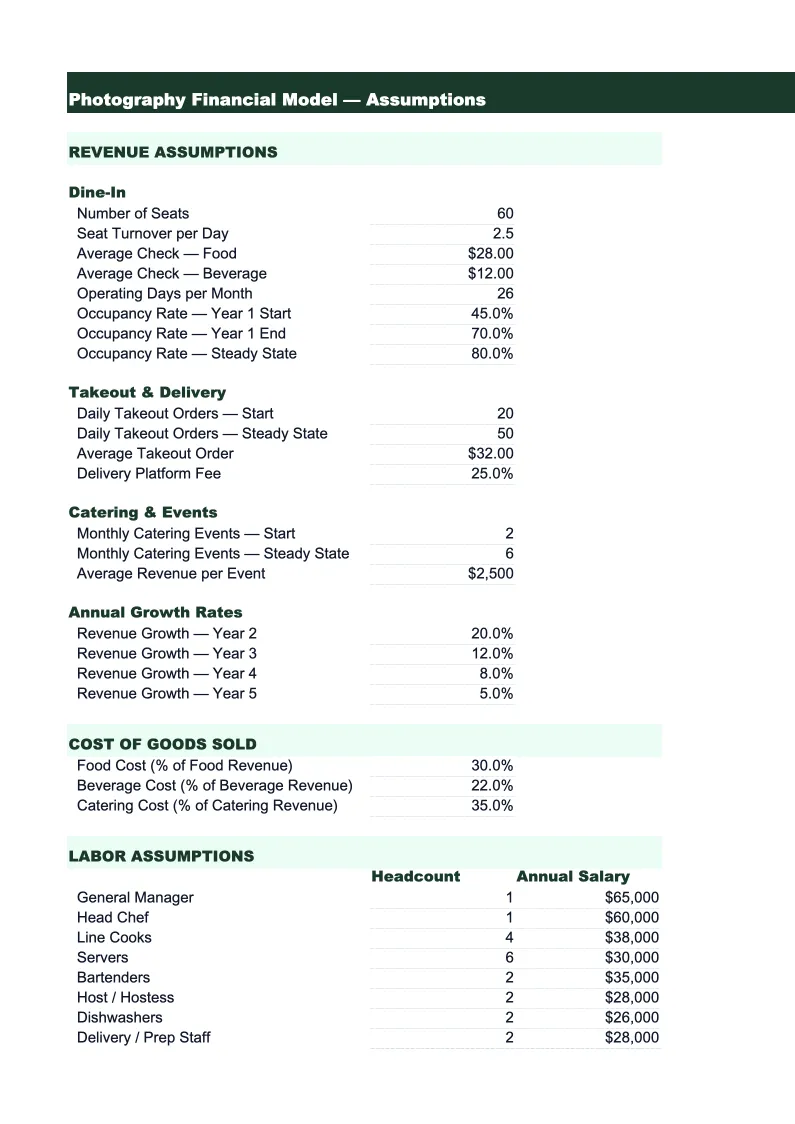
Assumptions
The single input sheet that drives every other calculation in the model.
Revenue Projections
A 24-month revenue build broken out by stream: session fees (separated by photography type — portrait, wedding, commercial, event, and headshots), print and product sales, digital download packages, image licensing, and second-shooter or associate photographer revenue.
Cost of Doing Business
A detailed expense model organized around the photographer's standard Cost of Doing Business (CODB) framework — the industry method for calculating the minimum hourly rate needed to cover all expenses and reach a target profit.
P&L
A 24-month profit and loss statement that pulls revenue from the Revenue Projections sheet and expenses from the Cost of Doing Business sheet.
Cash Flow
A monthly cash flow statement that reconciles the difference between when you earn revenue and when cash actually lands in your account.
Dashboard
A one-page visual summary built for annual business planning, accountant reviews, or pitching a bank or investor if you're expanding a studio.
Photography Financial Model Template Features
- Session-type revenue model: portrait, wedding, commercial, event, and headshot bookings projected separately
- Cost of Doing Business (CODB) per hour calculation — the pricing benchmark photography coaches recommend
- Print and product sales modeled as a percentage of session bookings with lab cost deductions
- Cash flow model that handles upfront retainers and delayed balance payments for weddings and events
- Seasonal multipliers pre-set for spring and fall portrait peaks and January–February slow season
- 24-month P&L with gross margin and net margin benchmarks displayed alongside your projections
How to Use This Photography Financial Model Spreadsheet
Start in the Assumptions sheet. Enter how many sessions you expect to book each month by type — portrait, wedding, commercial, event — and your average fee for each. If you're an existing photographer, use last year's booking records as your starting point and adjust forward. If you're newer, look at what you can realistically book based on your current inquiry volume and conversion rate. Then enter your fixed monthly costs: software subscriptions, insurance, any studio rent, and your estimated annual equipment spend. The CODB sheet will calculate your cost of doing business per shooting hour as soon as you save those inputs — compare that number to your session rate immediately, because it tells you whether you're priced above your floor or below it.
Once your assumptions look right, review the Revenue Projections and P&L sheets. Check whether your projected gross margin lands in the 50–70% range typical for photography businesses. If it's lower, look at whether lab and printing costs are eating into product sales margins, or whether your session fees are below your CODB floor. The Cash Flow sheet is especially important if you shoot weddings — it shows how retainer collection and final balance timing affects your monthly cash position, which can look lumpy even when the business is profitable overall.
15 minutes from download to your first photography business projection
Download the template, plug in your session types and fees, and see your photography business's full financial picture — revenue, CODB per hour, cash flow, and 24-month P&L included.
Why Every Photography Business Needs a Financial Model
Most photographers underprice their work — not because they don't value it, but because they've never calculated what it actually costs to run the business. Equipment depreciation, software subscriptions, gallery platform fees, insurance, and marketing add up to thousands of dollars a year before you count the hours you spend editing, communicating with clients, and managing bookings. A financial model forces you to put every cost on paper and calculate what hourly rate you need to cover them and still take home a livable income. Most photographers who do this exercise for the first time discover their minimum viable session rate is 30–50% higher than what they're currently charging.
The other thing photography financial modeling reveals is which revenue stream actually makes money. Session fees are the most visible number, but print and product sales often generate 20–40% of total revenue for photographers who prioritize in-person sales or well-designed online galleries. Image licensing, especially for commercial photographers, can be significant but irregular. A model that separates revenue by type shows you whether the time you spend on print sales is generating enough margin to justify the workflow, or whether you'd be better off shifting that energy to booking more sessions. Different photographers will reach different answers — the model just shows you the numbers.
Photography Industry at a Glance
Financial templates built for photographers and photography studios — from solo portrait photographers to commercial studios. Pre-loaded with session fees, licensing line items, print product categories, and industry-standard KPIs.
Revenue Drivers
- Session bookings
- Print & product sales
- Image licensing fees
- Digital download packages
- Second shooter add-ons
Key Cost Categories
- Equipment purchase & depreciation
- Editing software subscriptions
- Gallery delivery platform fees
- Studio rent
- Lab & printing costs (COGS)
- Equipment & liability insurance
- Marketing & advertising
- Travel & location expenses
Typical Margins
Gross: 50-70% · Net: 15-35%
Seasonality
Peak seasons: spring (April–June) and fall (September–November) for portraits and weddings. December busy for holiday portraits. January–February typically slowest.
Key Performance Indicators
Photography Financial Model Template FAQ
More Photography Templates
Photography Balance Sheet Template for Excel
$29
Photography Budget Template for Excel
$29
Photography Business Plan Template for Excel
$39
Photography Cash Flow Template for Excel
$29
Photography Expense Tracker Template for Excel
$29
Photography Income Statement Template for Excel
$29
Photography Invoice Template for Excel
$29
Photography KPI Dashboard Template for Excel
$29
Photography P&L Template for Excel
$29
Photography Business Pro Forma Template for Excel
$29
Photography Project Budget Template for Excel
$29
Photography Sales Forecast Template for Excel
$29
Photography Business Valuation Template for Excel
$29
More Financial Model Templates
Photography Financial Model Template
$29